From selection to the clash.
Select a duct or a beam, even in a linked model, and the list narrows to its clashes. One click opens your own 3D view with a section box around both elements.
 ClashWise


Drag to orbit · Scroll the page · + / − to zoom.
Saved views and measurements shown here stay in this example.
 Navisworks
 Revit
RevitClash management for Navisworks and Revit
Navisworks finds the clashes. ClashWise organises the review and puts each one in front of the modeller, inside the Revit model they’re fixing.
Show the clash, change the model, re-check it and update the status without leaving Revit. Your coordinator sees the change straight away.
14-day trial · No card required · Starter included
Navisworks and Revit 2024–2027
 Book a walkthrough ↗
01 / Coordinator · Find your place
Decide what needs reviewing first, using priorities and due dates. Move through the levels, then select a room to focus on the clashes there.
02 / Coordinator · Focus the review
Work through clashes at your own pace. Inspect the two elements, check their properties and bring back the surrounding model when you need context.
Select an element in the model to see its IFC class, dimensions and source.
Illustrative published clash · Geometry checked in Navisworks.
03 / Coordinator · Wise explanation
Pause on a clash and Wise explains what is intersecting, why it matters and a practical next step, without holding up the viewer.
The explanation appears automatically. Use the quick rating to tell us when it helped.
04 / Team · Coordination sessions
The host can present the complete live view, including context, clipping and display choices, while each person sees only authorised content. Freeze the view for shared markup, or split into parallel lanes.
Keep everyone on the same camera, context, clipping, visibility and display choices. Each participant receives only the content they are authorised to see.
Three people. Three lanes. Select a lane to see their focus.
4 issues in lanes0 outside a lane · 1 flagged for discussion
Regroup around flagged issues. Agree the next step and give it an owner.
Alex Morgan to review the tray route with the structural team before the next model issue.
Save the marked-up image with the session record.
05 / Modeller · Close the loop
The modeller opens #042 from the ClashWise dock in Revit, reroutes the duct and re-checks the two elements on the spot. The next Navisworks run confirms the fix for the whole team.
The status the modeller sets in Revit reaches the team straight away.
The illustrated route shows the coordinated outcome.
New · ClashWise for Revit
Coordinators keep running and publishing clash tests in Navisworks. In Revit, modellers get a dock that lists the clashes in their model, takes them to each one and tells the team when it is fixed.
The coordinator runs the clash tests and publishes the results.
ClashWise gives each clash a title, a priority and an owner.
Show the clash, change the model and re-check the two elements.
The status reaches the team straight away, and the next run confirms the fix.
Select a duct or a beam, even in a linked model, and the list narrows to its clashes. One click opens your own 3D view with a section box around both elements.
After you change the model, ClashWise tests the two elements in Revit and tells you whether they still overlap, or how far apart they now are.
Wise reads the elements you select and the published clashes. It can show a clash, find similar elements and isolate them in your view. It never edits the model.
For Revit 2024, 2025, 2026 and 2027. Included with Pro and Business plans and the free trial.
Thirteen focused tools follow the work from model data and clash tests to publishing and the next revision.
Explore every Navisworks tool ↗Follow the whole coordination workflow ↗ 01
01Map the model and review the coordination setup.
 02
02Create reusable sets and run the checks in Navisworks.
 03
03Group the results and replace generic names.
 04
04Choose the stages and cloud destinations for the batch.
 05
05Refresh revised results and sync agreed fields back.
The coordination workspace
From a focused worklist to Wise, live sessions, shared views and exports. Explore the tools your team can use today.
Northbank Rev04 · #042, #057 and #061 resolved. One issue still needs attention.
Group by model properties, save a useful view and bulk-edit a focused selection. Take the review into 3D or a coordination session.
| Clash | What needs attention | Priority | Owner | Status |
|---|---|---|---|---|
| #042 | Supply duct intersects structural beamLevel 02 · Grid C/4 | High | Jamie Lewis | Resolved |
| #057 | Cable tray crosses structural beamLevel 02 · Corridor | Medium | Alex Morgan | Resolved |
| #061 | Pipe crosses structural beamLevel 02 · Service zone | Medium | Sam Patel | Resolved |
| #078 | Extract duct intersects ceiling bulkheadLevel 02 · Grid C/2 | High | Unassigned | Open |
Start from a new federation or an existing clash set. Review the rules, then browse published clashes by discipline or class.
Explore the clash matrixEarlier in the review: the team assessed the original intersection and agreed a revised route. The current Rev04 geometry is resolved.
Your clash matrix gives Wise the project’s coordination context. AI analyses the clash against it and recommends the priority, status and contact.
Escalate conflicts affecting a primary structural member. The mechanical lead should review a revised service route with the structural team.
Why this recommendation? The duct intersects a primary beam. The example matrix calls for a service-route review, with Jamie as the mechanical contact.
Review the reasoning, then accept or edit the suggested fields in your workspace.
Historical step · Illustrative AI result
Meet Wise
Find the right clashes, update assignments, build a clash matrix or run a coordination session. Wise helps you work with the project you already know.
Actions stay visible in your workspace. Review the results, make changes and keep the decision in your team’s hands.
WiseInteractive exampleThere are two mechanical issues here. #042 is resolved; #078 needs an owner and a review.
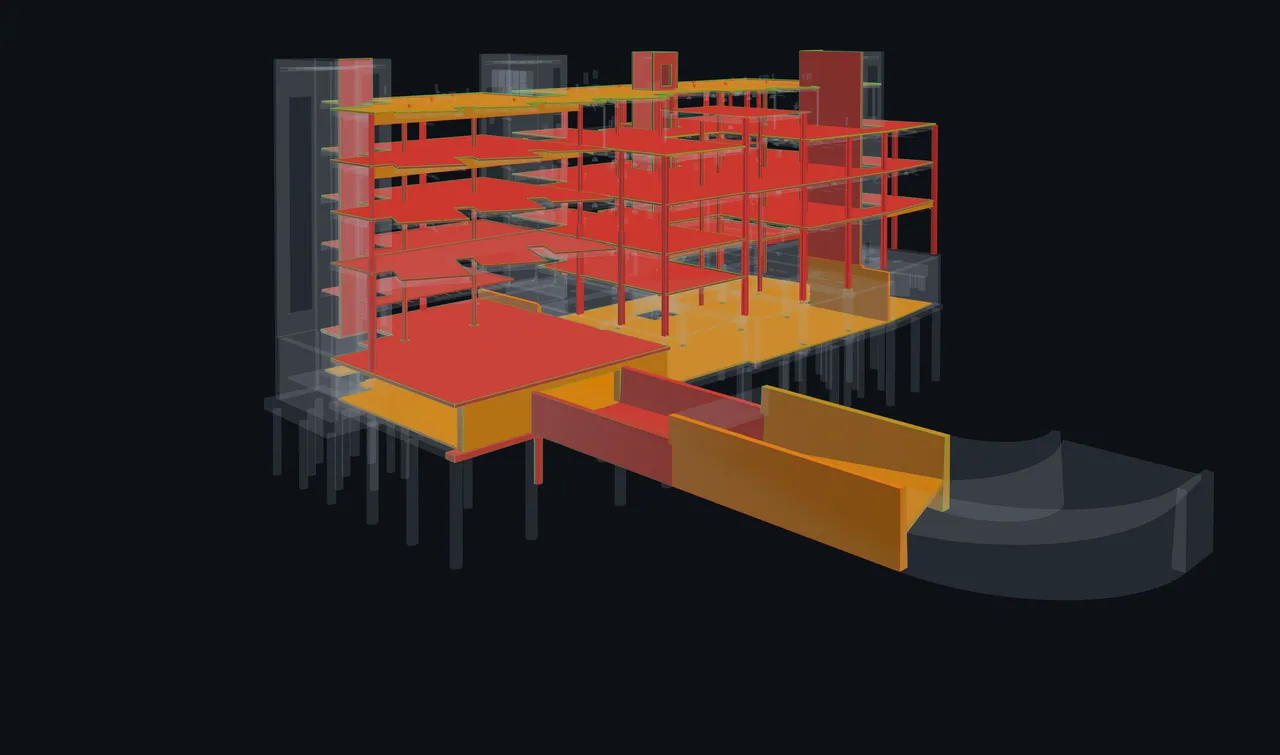
These viewer captures show a separate example project.
After the model review
Save the camera and model visibility, keep measurements and resume your review. Saved views open against the current model and warn you when geometry has changed.
Choose the viewpoints, annotations and measurements to include in a BCF review package. Your team can carry that context into the receiving tool, where support for each item may vary.
Explore the viewer and saved context ↗Keep track of the clashes each lane covers, give guests the access they need and record the decisions for the next review.
Try the session in 3D ↑Rev04 routes the duct through its web opening.
Resolved · Rev04Rev04 lifts the tray into its web opening. Confirm the route.
Resolved · Rev04Rev04 lifts the pipe into its web opening. Confirm the route.
Resolved · Rev04Keep coverage visible. Regroup when a decision needs more than one discipline.
Alex joins the assigned electrical lane without creating an account, for the duration of this meeting. Guest allowances depend on the plan.
Present the complete live model view when everyone needs one reference. Freeze that view to draw on the same image together and save the flattened result to the session record.
Create lanes by contact, level, discipline or other clash properties. Track coverage and unassigned issues; choose which unfinished work becomes a follow-up action.
The active session records changes to status, priority, contact and due date. Save decisions and action items, then review the minutes Wise drafts from that record before exporting a branded PDF.
Explore coordination sessions ↗Bring the right people in
Share a focused 3D view of the clashes that need a decision. External stakeholders can review it without an account or a Navisworks installation.

Review the Analyzed Clash Summary, choose the fields to sync and send status, priority, contact and comments back to Navisworks.
Priority sync requires Navisworks 2026 or later. You choose how fields map.


Export a whole set or a filtered selection. BCF 2.1 carries the topic, comments, snapshot and 3D viewpoint into the next part of your workflow.
Share reports and hand over issues in the formats your team uses.


Use an MCP-compatible AI client to explore coordinated clashes while ClashWise controls access and available actions.
Explore MCP connectionsThe work starts with understanding
Replace generic names with a sentence your team can understand. Include the elements, discipline and location in your working language.
Generate local titles in eleven languages and six naming standards in the Navisworks plug-in. After downloading the AI model, you can work offline.
Explore local AI title generationBasic, Detailed, Component ID, By Discipline, AI Preferred or Mixed. Write to the title, description or comments, with group-aware titles for grouped clashes.
Set up Property Mapping for your source-file pattern first, then reuse that mapping on other models.
Explore Property Mapping ↗Clash042
Supply duct intersects structural beam, Level 02, Grid C/4
Plans for the way you coordinate
Choose local Navisworks tools with Starter, a shared coordination workspace with Pro, or multiple projects and company standards with Business.
All prices in US dollars.
Local titles, groups, search sets and clash-test tools.
Flat subscription / month
Billed monthly.
Start free trialYour local plug-in toolkit
Prepare tests and review published clashes with one coordination team.
Per editor seat / month
Billed monthly.
Start free trialEverything in Starter, plus
300Wise actions / editor / month
100Guest passes / organisation / month
Manage several projects with separate access and shared coordination standards.
Per editor seat / month
3 seats minimum · from US$297 / month.
Start free trialEverything in Pro, plus
1,000Wise actions / editor / month
1,000Guest passes / organisation / month
14 days to try it. No credit card required. Starter is included. Cancel in the app at any time.
| What’s included | StarterUS$19 / month, flat | ProUS$59 / editor / month | BusinessUS$99 / editor / month |
|---|---|---|---|
| Navisworks tools & 3D review | |||
Local AI clash titlesGenerate titles on your machine in 11 languages and six naming standards. Work offline after the AI model download. | ✓ | ✓ | ✓ |
Group clashesOrganise related clashes by level, system, zone or another object property for review and handoff. | ✓ | ✓ | ✓ |
Search sets & clash testsBuild reusable search sets from object properties, or create selection sets using computed grids and levels. Prepare A-versus-B or set-versus-set tests and run them in Navisworks Clash Detective. | ✓ | ✓ | ✓ |
Coordination SetupScan your models, map their properties and connect a coordination matrix. Preview the search sets and tests before installing them in Navisworks. Requires an active or trial Pro, Business or Enterprise organisation. | — | ✓ | ✓ |
3D clash model viewerFocus a clash in 3D or find its location in Plan. Prepared, aligned IFC spaces provide rooms and levels; IFC models also support element inspection and visibility filters. Isolate, section and measure, with ghosted context, markups and snapshots. Use source appearance, wireframe, X-ray or exploded views, and colour by priority, status, severity, age or cluster. | — | ✓ | ✓ |
| Coordination sessions | |||
Live coordination sessionsKeep everyone on the same authorised live model view, including context, clipping and display choices. Freeze the rendered view to draw together and save the flattened marked-up image to the session record. Wise drafts minutes with branded PDF export. | — | ✓ | ✓ |
Everyone in the model at onceFollow voluntarily or let the host keep every connection on one complete model view. Hand over control, point in 3D, look around independently and return to the shared view. | — | ✓ | ✓ |
People per live sessionHost, members and guests count together. Invited guests do not need a paid editor seat. | — | 15people | 25people |
Live sessions at once per organisationA session counts only while someone is connected. Starter cannot host, but may join a valid invitation. | — | 1per organisation | 3per organisation |
Parallel lanes & regroupDivide clashes by contact, level, discipline or another property. Track lane coverage and unassigned issues, flag questions and regroup on shared decisions. | — | ✓ | ✓ |
Guest session passesInvite contacts without an account, with access defined by their pass. Allowances are per organisation, per calendar month. Up to 10 guest-assigned lanes may be active in a session; this lane rule is separate from the people limit. | — | 100per organisation / month | 1,000per organisation / month |
| Clash management & Wise | |||
Matrix-guided AI analysisAnalyse clashes against your project matrix to recommend priority, status and responsible contacts. Review the recommendations and retain your team’s edits. | — | ✓ | ✓ |
Browser matrix builder & update modesBuild coordination matrices in the browser. Add classes, Sync or Regenerate as models change while preserving user-assigned priorities and contacts. | — | ✓ | ✓ |
Filters, bulk updates & saved viewsFilter clashes by model properties and bulk-edit a focused selection. Save viewer context and measurements, or resume a personal review tour. Saved views use the current model; changed geometry may need another review. | — | ✓ | ✓ |
Insights & Navisworks syncFollow clash progress in dashboards and sync selected fields back to Navisworks. Review changes before applying them; priority sync requires Navisworks 2026 or later. | — | ✓ | ✓ |
Password-protected sharingShare a read-only 3D scene or insights view with an optional password and an expiry you control. | — | ✓ | ✓ |
Wise, your AI assistantAsk about a clash set in the browser, 3D viewer or Navisworks. Retitle clashes, get explanations and request coordination actions. | — | ✓ | ✓ |
Wise AI actionsMonthly actions are pooled across your organisation’s editor seats, for assistant chat, viewer questions and clash explanations. The trial includes 10 Wise actions per user per day. | — | 300per editor / month | 1,000per editor / month |
Governed MCP connectionsConnect compatible AI clients and IDEs through OAuth Connected Apps. Your organisation controls access, member permissions and the clash edits each connection can make. | — | ✓ | ✓ |
Tool activity & audit trailReview tool calls from Wise, Navisworks and connected MCP clients at user and organisation level. | — | ✓ | ✓ |
Excel, CSV & BCF 2.1 exportExport the whole clash set or a filtered selection. BCF carries topics, comments, snapshots and viewpoints. Member review packages can also include selected saved views, annotations and measurements; support varies in the receiving tool. | — | ✓ | ✓ |
| Teams & standards | |||
Multiple project workspacesKeep separate project workspaces within your organisation. Pro gives one coordination team a shared workspace; Business supports multiple projects. | — | — | ✓ |
Project-scoped visibilityKeep client and project data within defined project access boundaries. | — | — | ✓ |
Per-project admins & member rolesGive each project its own administrators and member roles. | — | — | ✓ |
Company-standard matrix libraryPublish and clone shared company matrices so projects work from the same coordination standards. | — | — | ✓ |
Organisation member managementManage membership across the organisation as your teams and project portfolio grow. | — | — | ✓ |
Wise actions are pooled across your organisation’s editor seats. Guest passes are counted per organisation, per calendar month. Guests need no paid editor seat and count within the plan’s people-per-session limit. Up to 10 guest-assigned lanes may be active in a session; this lane rule is separate from the people limit. These monthly allowances stay the same with yearly billing. The trial includes 10 Wise actions per user per day.
Need 25+ seats, SSO, on-prem AI or custom session capacity? Enterprise limits are explicitly configured and validated for your deployment.
A few practical questions
What to expect when you bring ClashWise into your Navisworks workflow.
Visit the help centre ↗Run your clash tests in Navisworks and publish the results through the ClashWise plug-in. Name and analyse the clashes, coordinate with your team, then review and sync selected status, priority, contact and comment changes back to Navisworks.
The plug-in supports Navisworks 2024 to 2027. Clash tests run in Navisworks Manage’s Clash Detective. Priority sync requires Navisworks 2026 or later. See download and compatibility details.
Yes. After a one-time AI model download, local title generation runs on your machine. Published clash management, Wise, collaboration and sync use the cloud and need a connection. Read about local AI.
Yes, once for each source-file pattern. Map element names, IDs, categories, levels and disciplines, then save the mapping for reuse. This supports both title generation and clash management. See Property Mapping.
Yes. You can edit generated titles, owners and priorities. Your edits are retained during re-analysis, with a history of who changed what and when. Wise can also apply actions you request; those changes remain visible in the workspace.
Re-run Clash Detective in Navisworks to check the revised model. Existing clashes keep their identities; newly detected clashes appear as new entries. Use Update Clash Set or Run & Publish to send the latest results to the existing destination, then review the coordination changes before syncing.
Share a read-only 3D scene with selected clashes, an expiry and an optional password. For a live session, invite guests without an account. Their pass defines their session or lane access and available actions. Guest allowances depend on your plan.
Start a 14-day trial without a credit card; Starter is included. You can also book a walkthrough. Starter covers local plug-in tools; Pro and Business add cloud coordination, billed per editor seat. Compare plans and pricing.
Local title generation stays on your machine. Published clash sets and uploaded context models use ClashWise’s cloud workspace. Read the security information, privacy policy and data processing agreement for the details.
Built for the people bringing it all together
Publish a clash set, review it with your team and sync the agreed changes back to Navisworks.